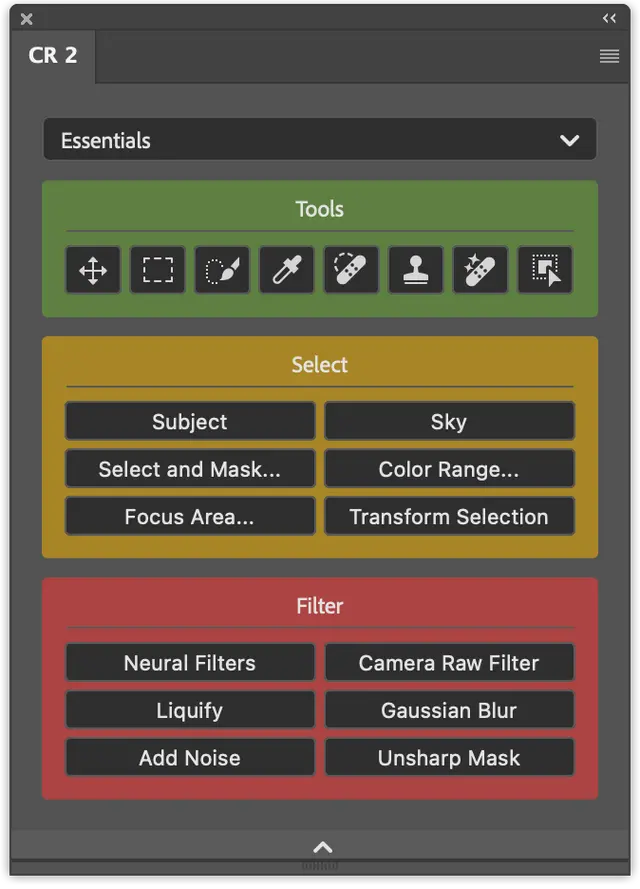
The tools I use every day are buried in menus
Configurator Reloaded


Build your own dockable panel from tools, actions, scripts and menu items by drag and drop.

Free to try · Pay once, no subscription · 300,000+ users since 2013
“They've become essential to streamlining my Photoshop workflow.”
Jeff Whitlock, Digital artist
Supported by

The tools I use every day are buried in menus
Build your own dockable panel from tools, actions, scripts and menu items by drag and drop.
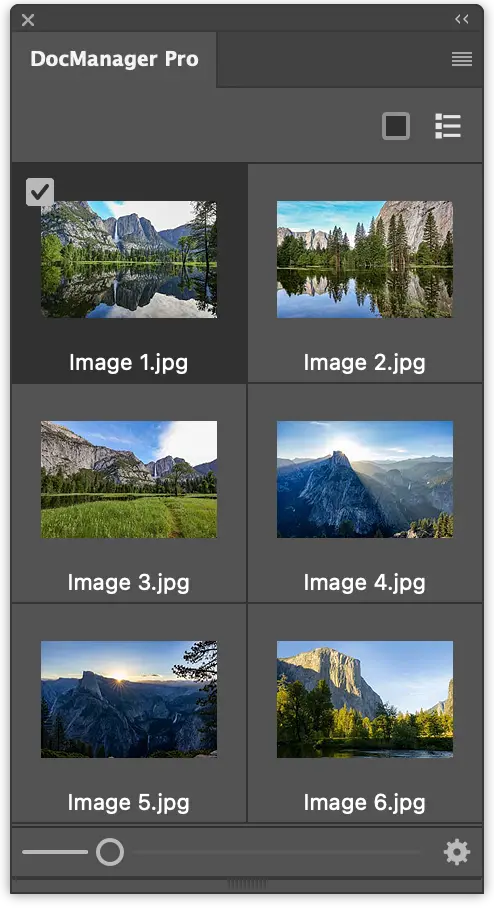
With 15 files open, I can't read the tabs
Every open document as a thumbnail. Drag layers between files and batch-save or close them.
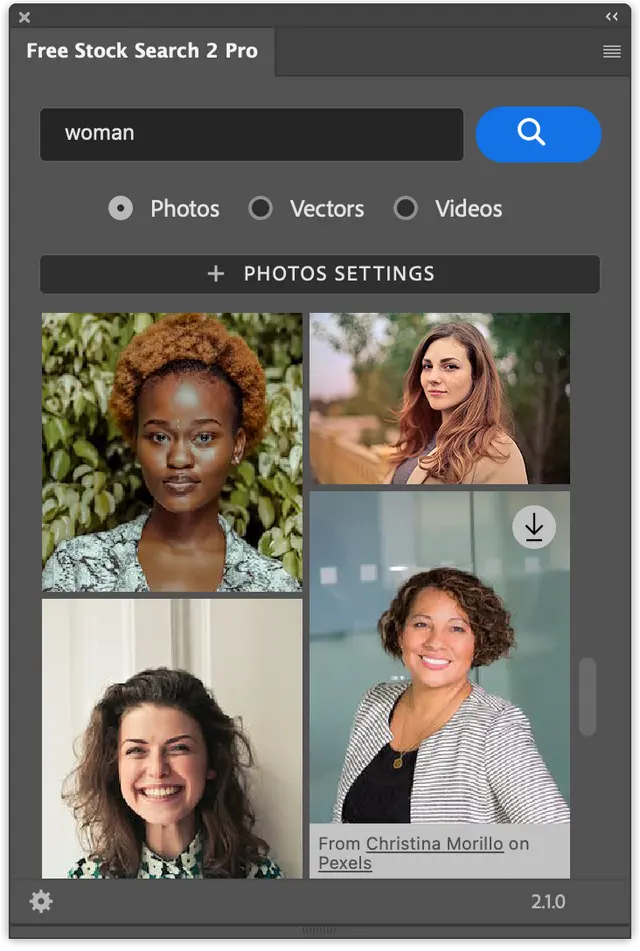
I keep switching to the browser for stock photos



Millions of photos, vectors and videos from Unsplash, Pexels and Pixabay that are genuinely free to use. Search them inside Photoshop and place them with one click.
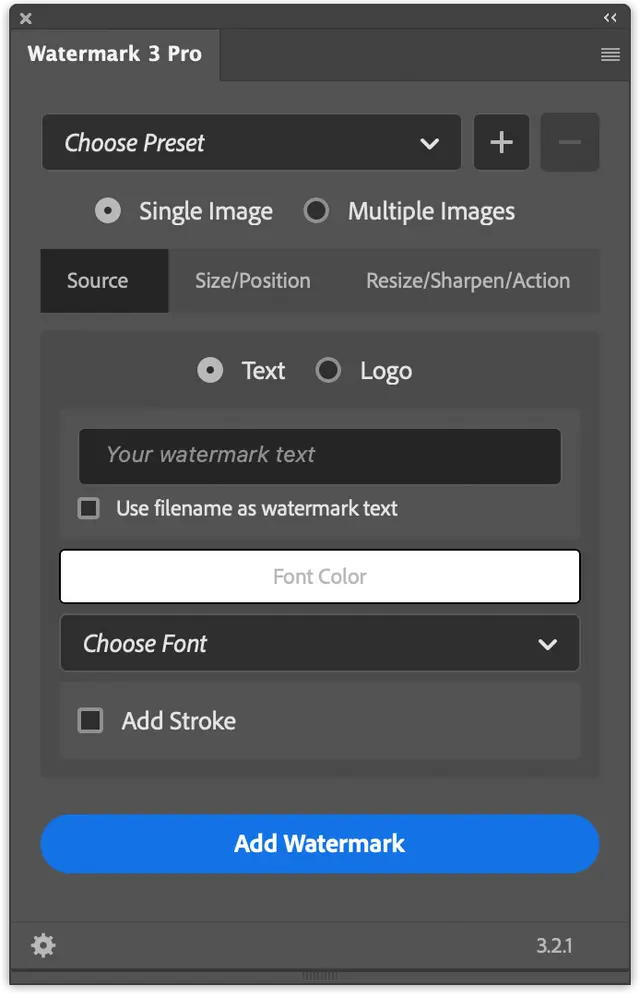
Watermarking 200 photos takes an afternoon
Add a logo or copyright to whole folders, with resizing, sharpening and export in the same pass.
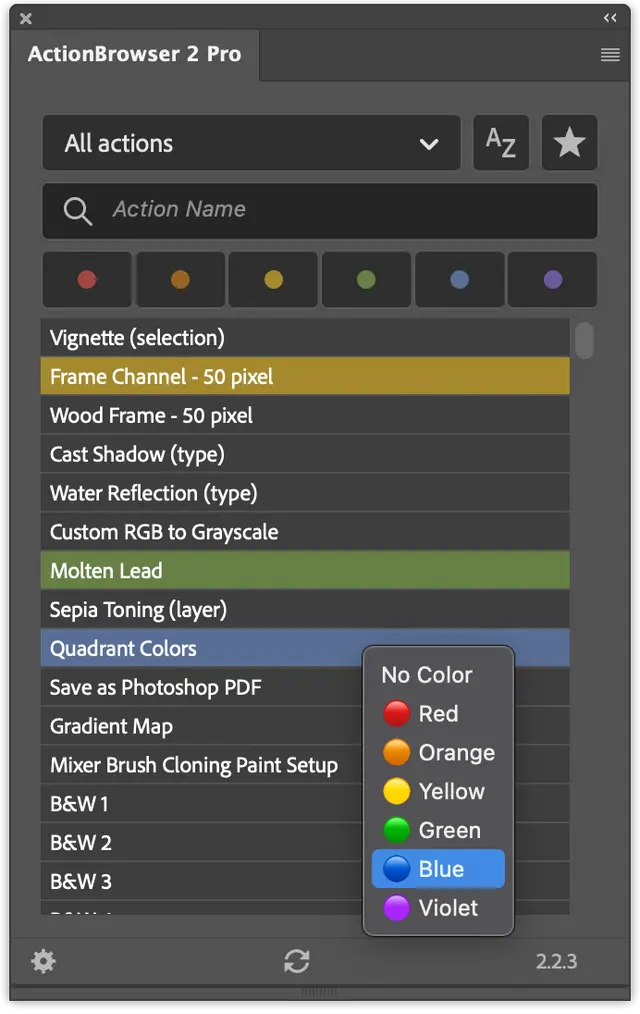
I scroll through dozens of action sets to find one
Find any action by name, favorite and color-mark actions, and run them from the keyboard.
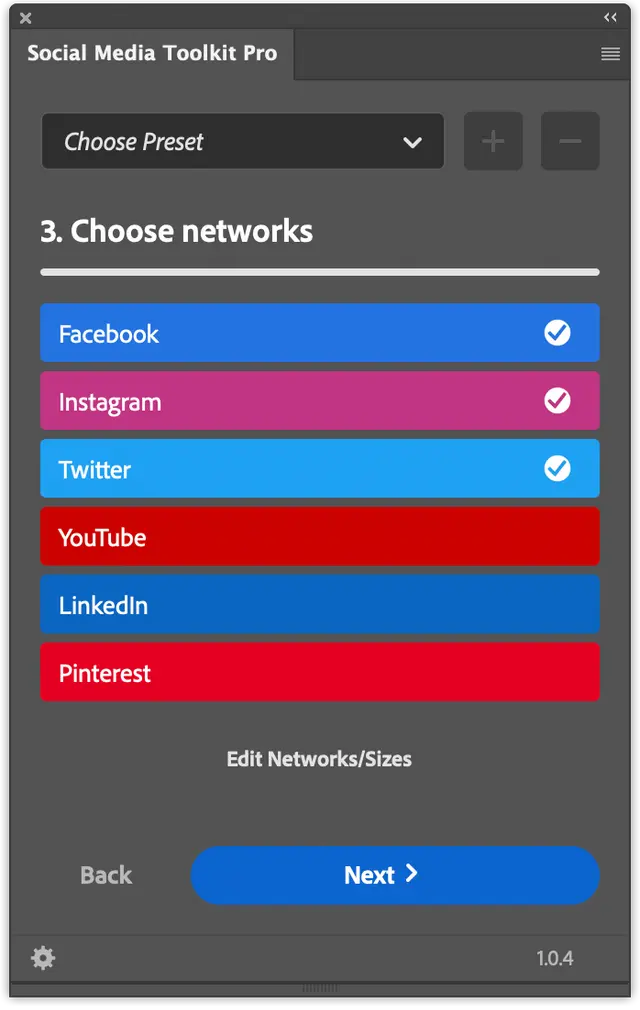
Every network wants a different image size
Export one image for Instagram, YouTube, LinkedIn, TikTok and more in one pass.
Pro licenses are one-time purchases with no subscription on top of Creative Cloud.
Five plugins have a free version and Configurator Reloaded has an unlimited trial.
The panels dock like built-in ones and run on Windows and macOS, including Apple Silicon.
Ask Thomas Zagler in the forum, on Discord or in the chat. Replies usually within one working day.
“Thomas' plugins are incredibly well-designed, easy to integrate, and always work seamlessly. They’ve become essential to streamlining my Photoshop workflow, boosting both efficiency and effectiveness.”
“Some Photoshop plugins from Thomas have become essential to my workflow. They offer simple and intuitive functions like searching and inserting stock photos, managing actions, creating user-friendly buttons for Photoshop commands, and managing multiple open documents. Recommendation!”
“Configurator Reloaded is a fantastic plugin that has made my workflow incredibly more efficient over the past few years—especially when illustrating board games, my main occupation. I have a dedicated workspace for each project, which, in combination with my Cintiq, allows me to work freely and effortlessly. No more searching through endless menus—an invaluable advantage!”
No. Each Pro version is a single one-time payment, and the free versions stay free.
It depends on the plugin: Photoshop 2021+ (ActionBrowser, Free Stock Search), 2022+ (Watermark, Social Media Toolkit), 2024+ (DocManager) and 2025+ (Configurator Reloaded).
Yes, both, including Apple Silicon Macs.
It depends on where the plugin is sold. Free Stock Search, Watermark, ActionBrowser, Social Media Toolkit and DocManager Lite come from the Adobe Marketplace (Adobe Exchange): click install on the plugin's page and the Creative Cloud Desktop app adds it to Photoshop, where you find it under Plugins. Configurator Reloaded and DocManager Pro are sold directly on pixelsucht.net; their plugin pages explain how to install and activate them.
The free versions cover the core task. Pro versions unlock more features. Each plugin's page lists what's included.
Yes. DocManager Pro and Configurator Reloaded include one year of free updates. After that, you can keep using the last version you received for as long as you like; a new license gets you further updates. The other Pro versions include free updates.
Some of them do. Configurator Reloaded is also available for InDesign. Free Stock Search also has versions for InDesign, Illustrator, Premiere Pro and After Effects, for XD and for Adobe Express.
In the support forum, on Discord, or by leaving a message in the chat at the bottom right of this page. The developer answers personally and usually replies to chat messages within one working day.
Yes. Pixelsucht has built plugins for Logitech, CEWE and ProSiebenSat.1 PULS 4. Get in touch through the chat.

Pixelsucht developed custom plugins for


Are you a company or agency and need a plugin for an Adobe app?